Single-Pane Visibility
Aggregate security events from every site you manage into a single prioritized dashboard. Filter by severity, sort by site, and act first on what matters.
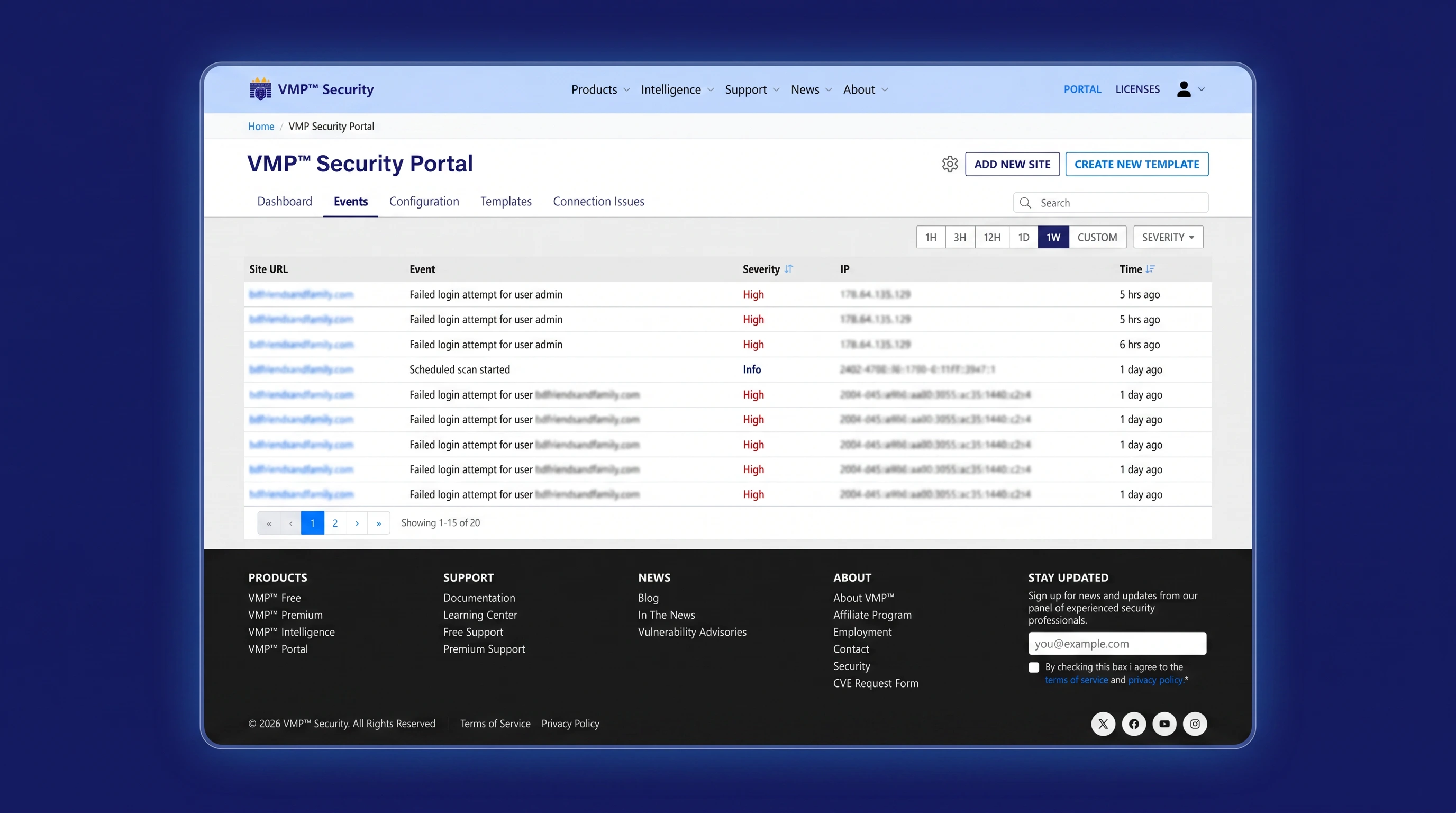
The VMP™ Security Portal aggregates events, runs fleet-wide scans, and applies template-based configuration so you stop hand-configuring every site. Built for owners managing one site or many.
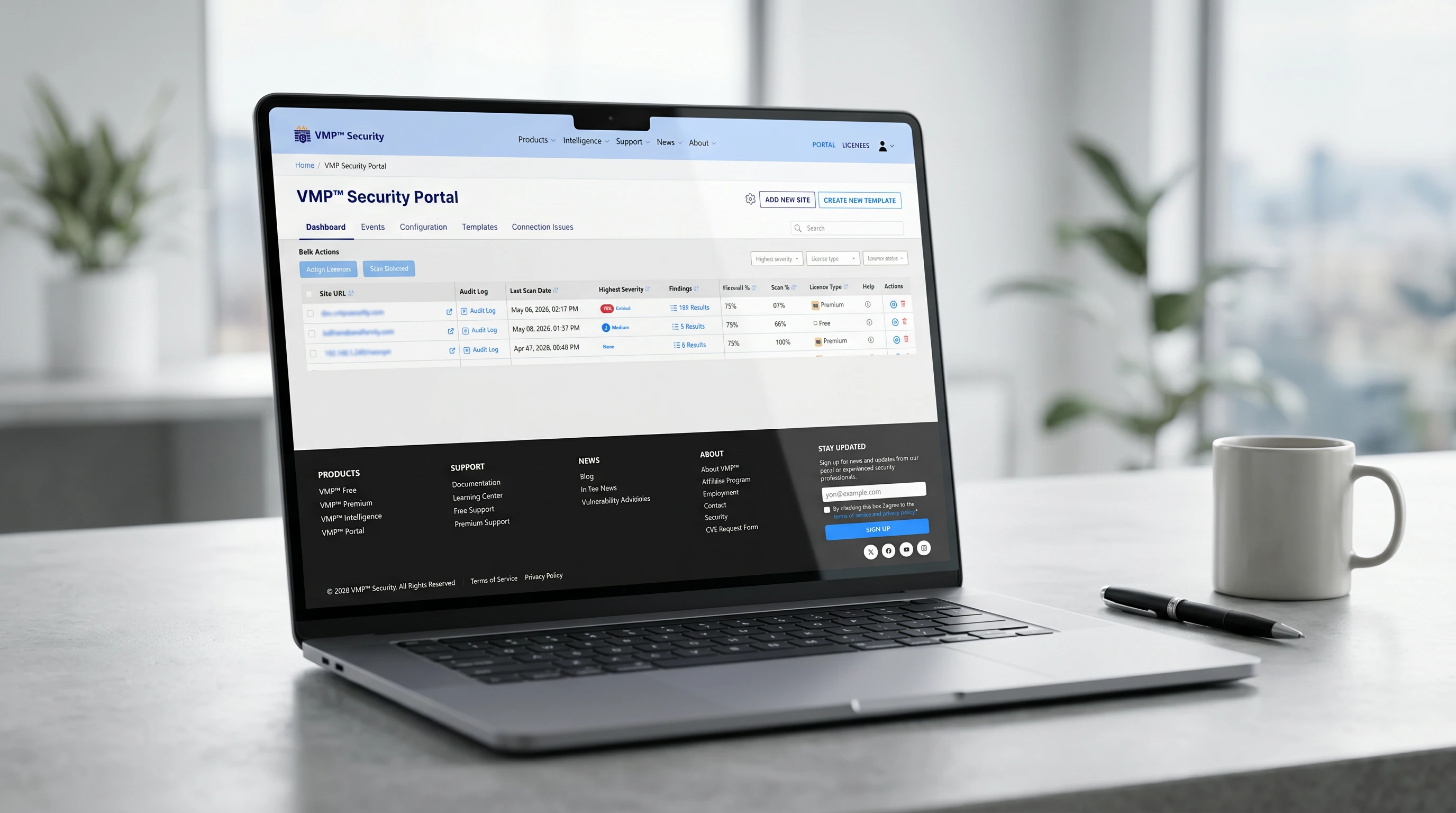
One unified workspace for visibility, configuration, scanning, and audit — designed to make managing 5 sites feel as easy as managing one.
Aggregate security events from every site you manage into a single prioritized dashboard. Filter by severity, sort by site, and act first on what matters.
Build a template once, then apply it to many sites with one action.
Trigger scans across multiple sites and review findings sorted by severity.
Track every security-relevant change. Retention scales with your license.
Per-event preferences with one-click unsubscribe. No generic templates.
Pair your first site in one click and start managing security from one place.
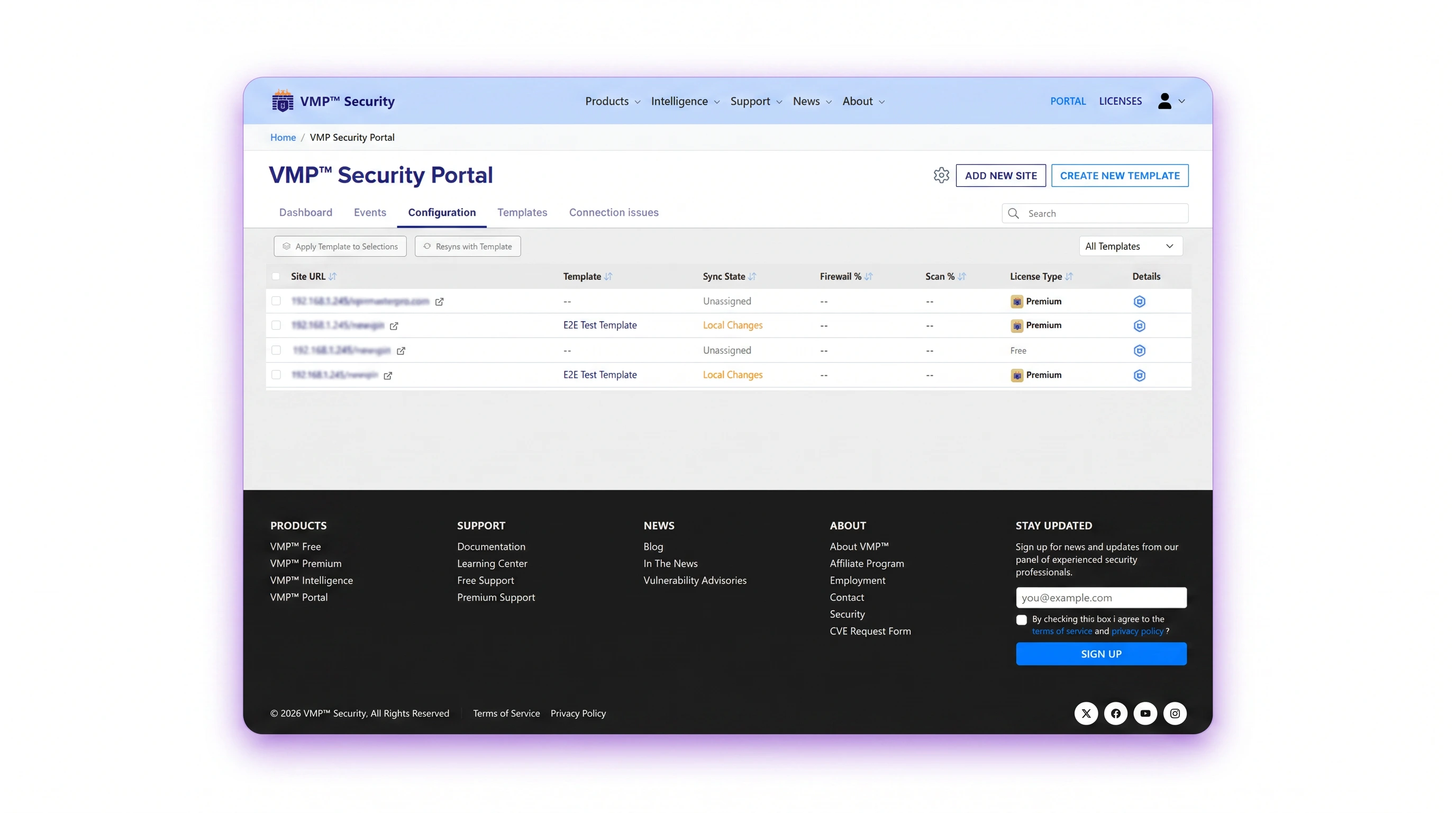
Build a security configuration template — firewall rules, scan schedules, alert preferences — and roll it out to selected sites in your fleet with one action.
No agents to install. No configs to write. Just connect and centralize.
Install VMP™ Security on each site and pair it with your Portal account using a one-click connection token.
1Choose a starter template or build your own. Roll it out to all connected sites with a single action.
2Sites push events to the Portal on every sync. Get notified, drill in, take action — all without leaving the dashboard.
3Free for every VMP™ Security plan, with no per-site cap. Pair a site in one click and start centralizing in minutes.